Skip to content

Auto component ERP software for OEM suppliers

eManage Auto Component ERP is manufacturing and accounts software for tier-1 and tier-2 automotive suppliers. It controls OEM schedule netting against a multi-level BOM, lot routing through forging, machining and heat treatment with heat-number traceability, job-work processors with ITC-04, and inspection and PPAP records per lot. It is implemented on site by the eManage team from Ludhiana, Punjab.

Auto Component ERP shop floor
  • 500+ plantsRunning eManage since 2000
  • On-site implementationBy our own engineers
  • Support you can callNamed engineer, phone and WhatsApp
  • GST built inE-invoice, e-way bill, ITC-04
THE FLOW

Five steps on eManage, from material in to dispatch

1 SCHEDULE IN2 MATERIAL3 MACHINING4 INSPECTION5 JIT DISPATCH
PLANT FLOW · AUTO COMPONENT ERP
  1. 1 SCHEDULE IN OEM · part no.
  2. 2 MATERIAL Forging · bar
  3. 3 MACHINING CNC · job cards
  4. 4 INSPECTION PPAP · lot record
  5. 5 JIT DISPATCH Bin · e-invoice
eManage CORE ONE DATABASE · GST · PAYROLL
WHY PLANTS SWITCH

Sound familiar? eManage fixes all four

Auto component suppliers live by the OEM schedule, the rejection PPM and the PPAP file. When the schedule changes weekly, lots split across job-work processors and the customer asks which heat a part came from, a spreadsheet cannot keep up. This edition is built around the schedule and the lot.

Schedules netted in Excel

Monthly OEM schedules change weekly, and netting against stock and WIP is done by hand.

PPAP and PPM by hand

Audit evidence and defect reporting are assembled from files before every visit.

Traceability breaks at job work

Lots lose their heat number at the machine shop or plater.

Tooling life unknown

Dies and fixtures fail without warning because strokes are not counted.

Here is how Auto Component ERP handles each of these.

WHAT IT HANDLES

eManage covers every control point of an auto component unit

8 controls that come built into Auto Component ERP, each tied to the same lot, order and ledger.

Illustration: control points covered by Auto Component ERP

OEM schedule lines

Multi-level BOM & routing

Heat number traceability

Machining job cards

Job-work processors

Inspection & PPAP

Tooling & die life

GST, e-invoice & accounts

FREE DEMO

See eManage Auto Component ERP with your own data

Send a few real documents before the call. An implementation engineer who knows your trade runs them through eManage, online or at your plant.

In the demo we show

  • Your OEM schedule netted against stock
  • A lot card from bar stock to final inspection
  • Machining sent out and received back
  • PPM and part-wise cost reports

Book a free Auto Component ERP demo

Name and phone are enough. We call within one working day.

We call within one working day. Your details are used only to arrange the demo; see the privacy policy.

WHAT CHANGES

What changes on the floor with eManage

The people and machines stay the same. Each movement is recorded where it happens, so the owner reads a screen instead of waiting for the month-end register.

Swipe the table sideways to see the eManage column.

Registers and Excel compared with eManage Auto Component ERP
Area Running on registers / Excel Running on eManage Auto Component ERP
OEM schedule Typed into Excel every week; shortfall worked out by hand Loaded per part; netted against stock, WIP and open jobs
Heat traceability Heat number on the bar invoice only Heat carried on the lot through every operation to dispatch
Rejection Counted at final inspection, reason unknown Entered at the operation by reason; PPM per part and month
Job-work heat treatment Challan book; shortage settled when the bill arrives Challan, receipt, shortage and ITC-04 per processor
Inspection record Loose sheets collected when the OEM audits Results stored per lot; PPAP-style documents printed on demand
ON THE FLOOR

How eManage Auto Component ERP works, stage by stage

Planning

The OEM schedule becomes the week's plan

  1. 1

    Schedules are loaded per OEM part number. The system nets them against finished stock, WIP and open jobs, and plans the shortfall.

  2. 2

    The multi-level BOM explodes the shortfall. Bar, forgings, bought-outs and outside processes are listed with supplier lead times.

  3. 3

    Indents, job orders and challans are raised from the plan. The schedule screen shows where each line stands.

Schedule netting against stock and WIP
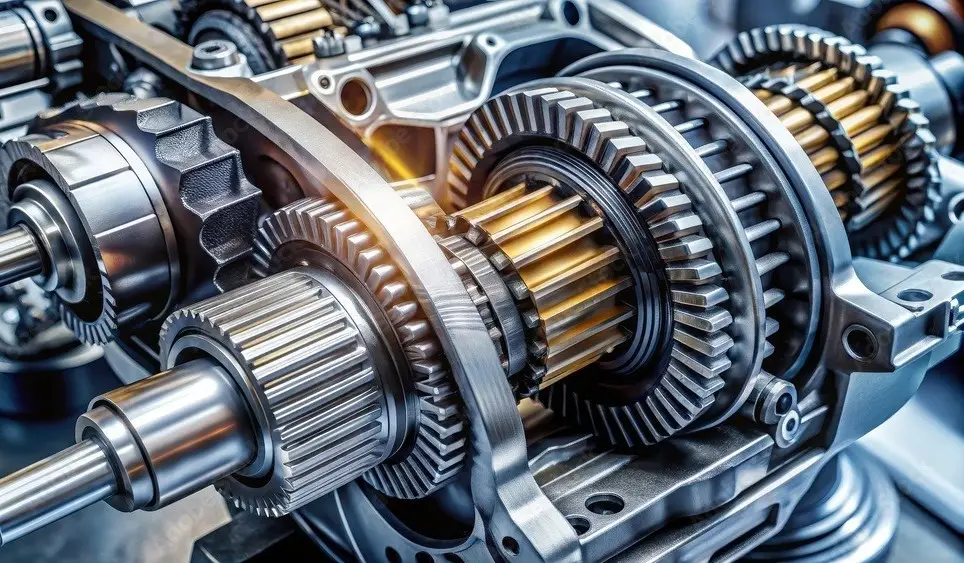
Auto Component ERP, The OEM schedule becomes the week's plan

Shop floor

One lot card from bar to final inspection

  1. 1

    Each lot moves on one card from bar to assembly. Operation completion and rejection are entered at the stage by the operator.

  2. 2

    Outside heat treatment and plating go on a job-work challan. The receipt closes the operation and the lot keeps its heat number.

  3. 3

    Cycle time and tool life are logged per operation. Slow machines and worn dies show up before they become rejections.

Lot-wise routing with rejection by reason

Auto Component ERP, One lot card from bar to final inspection

Quality & dispatch

Inspection record per lot, dispatch per schedule line

  1. 1

    Inspection results are recorded against the lot. Only passed quantity becomes available for dispatch.

  2. 2

    Dispatch is made against the OEM schedule line. The customer's label format, e-invoice, e-way bill and test certificate come from the lot.

  3. 3

    Customer rejections create sales returns and debit notes. They match the original invoice, and rejection PPM is reported per part and month.

Dispatch against schedule with PPM reporting

Auto Component ERP, Inspection record per lot, dispatch per schedule line
REPORTS

eManage reports the owner reads every morning

Built from the floor's own entries, so they are current when you open them, on the desktop or the phone.

Schedule vs dispatch

Schedule lines, dispatched quantity and risk by OEM and part.

Routing-wise WIP

Parts at each operation and machine, by lot.

PPM and rejection

Customer and internal PPM with rejection by reason.

Heat traceability

Every dispatched lot traced to its raw material heat.

Tool and die life

Strokes used and remaining per tool.

Part-wise cost

Material, machining, job work and rejection per part number.

FIRST 90 DAYS

Your first quarter on eManage

  1. Schedules netted dailyShortfalls against OEM schedule lines visible before they become line stoppages.
  2. Audit-ready lot recordsPPAP evidence, inspection results and traceability on file.
  3. Tools changed on timeDie life tracked from production, not memory.

EMANAGE AUTO COMPONENT ERP

plants running eManage
500+
industry editions
12
years building one product line
26+
implemented on site by our own engineers
100%
GO-LIVE

eManage goes live in about six weeks, on site

How implementation works
  1. Week 1 Process study
  2. Weeks 2–3 Configuration
  3. Week 4 Data migration
  4. Weeks 4–5 Training by role
  5. Week 6 Go-live on site
  6. After Named support engineer

FAQ

eManage Auto Component ERP questions

Something specific to your unit? Ask an implementation lead.

The OEM revises the schedule every week. Can the system cope?

Yes. A new schedule replaces the earlier one for the same part and period. The plan is re-netted against stock and WIP, and the change in requirement is shown line by line so purchase and the floor can react. Earlier versions are kept, so you can show the OEM what was asked and when.

How is job-work heat treatment handled for GST?

Lots sent out go on a job-work challan with quantity and heat number. Receipts are matched against it, shortage is tracked per processor, and ITC-04 is prepared from the challans. The processor's invoice is checked against the received quantity, and the lot keeps its heat through the outside operation.

Can we migrate from Tally and our Excel BOMs?

Yes. Party, item and ledger masters with opening balances are imported from Tally, and multi-level BOMs, routings and OEM part cross-references are loaded from Excel at go-live. Units that keep Tally for final accounts export vouchers from eManage. The mapping is done on site during implementation.

Does it work for a 40-person machining unit?

Yes. Units from a few machines to several hundred people run the same edition. Floor entries come from a few shared terminals, scales and scanners are added where lots move, and the eGate app at the gate records every challan in and out. Go-live is typically 4 to 6 weeks on site.

What does Auto Component ERP cost?

Pricing depends on the number of users, the modules you switch on and whether you run it on the cloud or your own server. It is quoted as a licence plus a one-time implementation fee after a demo on your own OEM schedules and inspection files. Call +91 98156 23402 or write to info@emanage.in for a quote.

Can we get a PPAP-style record without a separate quality system?

Yes. Inspection plans per drawing define what is checked at incoming, in-process and final stages. Results are stored per lot with the inspector's name, and the lot record, heat certificate and dimensional reports are printed in the format your OEM expects, so the file is built from production data rather than maintained separately.

Related: Tractor Parts ERPeGate gate-pass appeWarehouse app

Auto Component ERP demo

Bring an OEM schedule and an inspection file. We run them on eManage.

We will load the schedule, run the lot through machining and job work and print the PPAP-style record on eManage.

500+ plants live
12 editions
26+ years